Best time tracking apps for Mac in 2026 (free and paid)
Best time tracking app for Mac: free plans (Clockify, Toggl Track), automatic tracking (Timing, ActivityWatch), freelancer picks. Prices checked 10 Oct 2026.
Quick answer
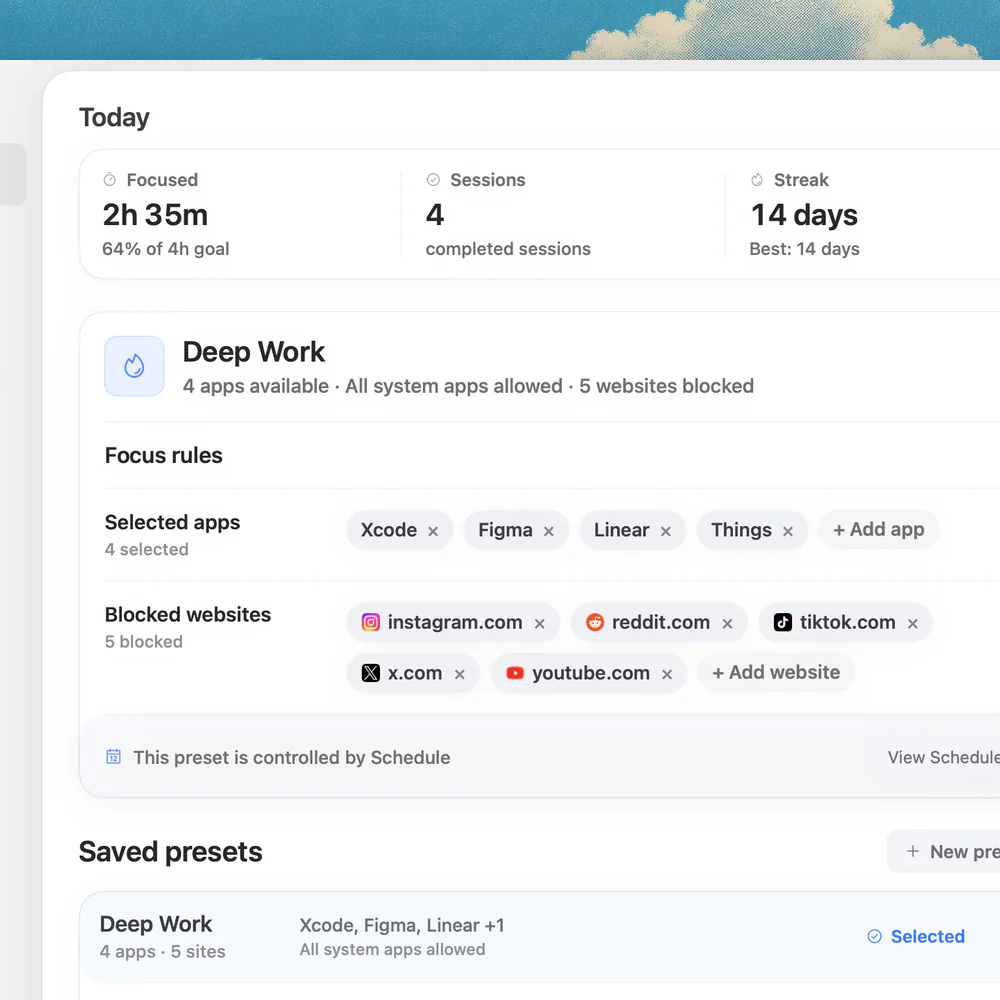
The best free time tracker for Mac is Clockify or Toggl Track: both have a free plan and a Mac app for manual timers. For automatic tracking, Timing and Timemator record your Mac activity on their own (both have a 30-day free trial but no permanent free plan), and ActivityWatch is a free, open-source automatic tracker. Freelancers who bill clients usually choose Toggl Track, Clockify or Harvest. Nudge is not a time tracker: it blocks distracting apps and websites during a focus session, so the hours you track are hours you actually worked. Prices below were checked on each vendor's own site on 10 October 2026.
How do these apps compare?
Pick a Mac time tracker: free or paid, manual or automatic, for freelancers or teams.
| App | Best for | Price | Website |
|---|---|---|---|
 NudgeTop pick NudgeTop pick | Protecting the tracked hour | $9.99 once | Get Nudge |
 Toggl Track Toggl Track | Manual timers and reports | Free, Starter $9/user/mo annual | Visit |
 Harvest Harvest | Client billing and invoices | Free (1 seat), $9/seat/mo annual | Visit |
 Clockify Clockify | Free timesheets | Free, paid from $3.99/seat/mo annual | Visit |
 Timing Timing | Automatic Mac activity capture | 30-day trial, from $9/mo billed annually | Visit |
 Timemator Timemator | Rule-based Mac tracking | $39 once, 30-day trial | Visit |
 Rize Rize | Productivity analytics | 7-day trial, from $9.99/mo billed annually | Visit |
 RescueTime RescueTime | Passive reports plus focus sessions | From $7/mo billed annually | Visit |
 Timely Timely | Memory-assisted timesheets for teams | 14-day trial, from $9/user/mo annual | Visit |
| ActivityWatch | Free automatic tracking | ||
 Apple Screen Time Apple Screen Time | Built-in baseline | Free, built into macOS | Visit |
Which tool should you pick?
Best free time tracker for Mac
Clockify
Free plan with unlimited tracking, timesheets, an auto tracker and desktop apps. Paid plans start at $3.99 per seat per month billed annually.
Best simple manual timer
Toggl Track
Free plan, a native Mac app, project labels and reports. Starter is $9 per user per month billed annually.
Best for freelancer invoicing
Harvest
Free plan for 1 seat and 2 projects, with Mac and iOS apps. Invoices and budgets sit in the same system.
Best automatic tracking on Mac
Timing
Records apps, documents and websites by itself. 30-day free trial, then a subscription.
Best one-time-price tracker
Timemator
$39 once for the Mac app, automatic and rule-based tracking, 30-day free trial.
Best focus companion
Nudge
Protects the session your tracker reports on. $9.99 once, 7-day free trial.
The apps in detail
- $9.99 once
1. Focus protection
Nudge
Best for: Protecting the tracked hour
- Choose it if
- You already chose the task and want fewer app/site detours.
- Skip it if
- You expect invoices or timesheets from the same app.
- Free, Starter $9/user/mo annual
2. Time tracking
Toggl Track
Best for: Manual timers and reports
- Choose it if
- You want a free plan or $9 per user per month Starter, quick project timers and a native Mac app.
- Skip it if
- You want everything recorded automatically without starting timers.
- Free (1 seat), $9/seat/mo annual
3. Time tracking
Harvest
Best for: Client billing and invoices
- Choose it if
- You bill clients: the free plan covers 1 seat and 2 projects, paid is $9 per seat per month billed annually.
- Skip it if
- You only need personal focus analytics.
- Free, paid from $3.99/seat/mo annual
4. Time tracking
Clockify
Best for: Free timesheets
- Choose it if
- You want the most generous free plan: unlimited tracking, timesheets and an auto tracker.
- Skip it if
- You want a deeply Mac-native automatic tracker.
- 30-day trial, from $9/mo billed annually
5. Time analytics
Timing
Best for: Automatic Mac activity capture
- Choose it if
- You forget timers and want app, document and website context. 30-day free trial, then a subscription.
- Skip it if
- You need a permanently free plan.
- $39 once, 30-day trial
6. Time tracking
Timemator
Best for: Rule-based Mac tracking
- Choose it if
- You prefer paying once ($39 for the Mac app) and want automatic project rules.
- Skip it if
- You need heavy team approvals.
- 7-day trial, from $9.99/mo billed annually
7. Focus analytics
Rize
Best for: Productivity analytics
- Choose it if
- You want focus time, meetings and context switching measured. 7-day trial, paid plans from $9.99 per month billed annually.
- Skip it if
- You need classic invoice-first reporting.
- From $7/mo billed annually
8. Analytics and blocking
RescueTime
Best for: Passive reports plus focus sessions
- Choose it if
- You want automatic categorization and focus sessions: Solo is $7 per month billed annually.
- Skip it if
- You need detailed client billing.
- 14-day trial, from $9/user/mo annual
9. Team time tracking
Timely
Best for: Memory-assisted timesheets for teams
- Choose it if
- You run a team: 14-day trial, then from $9 per user per month billed yearly.
- Skip it if
- You want a free plan. Timely lists none.
10. Time analytics
ActivityWatch
Best for: Free automatic tracking
- Choose it if
- You want a free, open-source tracker that keeps data on your Mac.
- Skip it if
- You need invoices, projects or team reports.
- Free, built into macOS
11. Usage limits
Apple Screen Time
Best for: Built-in baseline
- Choose it if
- You only need rough app and website usage limits.
- Skip it if
- You need project, client, or session detail.
What is the best free time tracker for Mac?
Clockify has the most generous free plan: unlimited time tracking, a timesheet, a calendar, an auto tracker, a Pomodoro timer and desktop apps. Toggl Track is free too, for a small team, and has a native Mac app. Harvest is free for one seat and two projects. For automatic tracking at no cost, ActivityWatch is free and open source, and it keeps its data on your Mac.
Timing, Timemator, Rize and Timely have free trials instead of free plans. Check the limits before you build a workflow on a free tier. Free reports and free approval features are usually where the paid plans begin.
| App | Free option | Paid, as listed on the vendor site | Tracks |
|---|---|---|---|
| Clockify | Free plan, unlimited tracking | From $3.99 per seat per month billed annually ($4.99 monthly). Approval and invoicing start at Standard, $5.49 annual. | Manual, plus an auto tracker |
| Toggl Track | Free plan for a small team | Starter $9 per user per month billed annually. Billable rates and timeline start on Starter. | Manual, plus automatic tracking features that depend on the plan |
| Harvest | Free: 1 seat, 2 projects | $9 per seat per month billed annually, $11 monthly | Manual |
| Timing | 30-day free trial, no card | Subscription. Professional is $9 per month billed annually ($11 monthly). | Automatic |
| Timemator | 30-day free trial | $39 once for the Mac app, $7.99 once for iPhone | Automatic and rule-based |
| RescueTime | Reverts to a free Lite plan when a subscription ends | Solo $7 per month billed annually ($9 monthly), Solo+ with timesheets $12 annual | Automatic |
| Rize | 7-day trial | Basic $9.99 per month billed annually | Automatic |
| ActivityWatch | Free, open source | Optional AW Pro subscription funds development | Automatic, local |
Which Mac time tracker is best for freelancers?
Freelancers need three things: a project and client label on every entry, a report or export they can attach to an invoice, and as little cleanup as possible. Harvest puts time and invoices in one place, and its free plan (1 seat, 2 projects) fits a freelancer with a couple of clients. Toggl Track and Clockify are the usual choices when you want a free timer and export the report yourself.
If you forget to start timers, use Timemator ($39 once) or Timing (subscription) so the Mac records your day and you assign it to projects afterwards. If you also bill by the hour, add a protected work block on top: see time tracking vs focus tracking.
Is automatic time tracking on Mac better than manual timers?
Manual timers are better when the label matters more than complete capture. You pick the client and task before the work starts, so the data is structured for billing from the first entry. The weakness is memory: a forgotten timer becomes cleanup work.
Automatic trackers like Timing, Timemator, Rize, RescueTime and ActivityWatch record apps, documents and websites for you. They fix forgetfulness, but you still review the day and decide what was billable, admin or noise. Pick automatic when recall is the problem, manual when reporting structure is the problem. You can also run one of each.
Do you track time because you keep getting distracted?
If you track time to see where the hours go, the apps above will do that. If you track time because you keep drifting into other apps and sites, the tracker only records the drift. Blocking the source stops it.
Nudge blocks the apps and websites you pick for the length of a focus session. See the best website and app blockers for Mac, or try the free online Pomodoro timer to work in short, timed blocks first.
Time tracking and focus tracking are different jobs
Time tracking answers a reporting question: where did the hours go? Focus tracking answers an execution question: did this planned work block stay protected? Read time tracking vs focus tracking for the full split.
A freelancer billing clients needs a ledger. A developer trying to finish a feature may need a protected coding lane. Many people need both.
Add Nudge when the hour needs protection
A time tracker can tell you that a work block was fragmented. Nudge is designed for the moment before the fragmentation happens: start a focused Mac session and block distracting apps and websites while the block is active.
Best picks by use case
The best Mac time tracker depends on the output you need. A freelancer who bills clients needs reliable project labels, exports, and maybe invoices. A manager needs team timesheets, approvals, and utilization. A solo knowledge worker may only need to understand where deep work disappears.
This is why Toggl Track, Harvest, Clockify, Timing, Timemator, Rize, RescueTime, and Nudge can all be good answers. They solve different parts of the time problem.
- Freelancers and consultants: Toggl Track, Harvest, Timing, Timemator, or Clockify.
- Teams and agencies: Harvest, Clockify, Timely, Toggl Track, or Time Doctor.
- Personal productivity review: Timing, Rize, RescueTime, Screen Time, or Nudge plus a tracker.
- Privacy-sensitive Mac users: prefer local-first or Mac-native tools and review what gets uploaded.
Privacy and company policy checks
Before installing an automatic tracker on a work Mac, check what the app records, where the data is stored, whether screenshots are possible, and whether document titles or URLs leave the machine. Some teams are comfortable with timesheets but not with activity monitoring. Some clients prohibit logging sensitive documents or URLs.
If privacy matters, start with the lowest invasive level that solves the problem: manual timers, then local activity review, then cloud analytics only if the value justifies it. Nudge sits outside that reporting layer: it changes the active work environment rather than recording everything you do.
How to combine time tracking with focus protection
A strong workflow separates the ledger from the session. Use Toggl, Harvest, Clockify, Timing, or Timemator to record what happened. Use Nudge to protect the work block while it is happening. That keeps the tracker from becoming responsible for behavior change it was not designed to handle.
A practical example: start a Toggl timer for Client A, start a Nudge writing preset that blocks feeds and video, then review the tracked hour at the end. The timer creates the record; the session rules protect the hour.
What if tracking shows you are distracted?
A time report can show that a work block was split between your task and other apps. The fix is to block the distraction for the length of the block, not to track more closely.
Start with the best website and app blockers for Mac. If you want to try timed work blocks before installing anything, use the free online Pomodoro timer. Nudge ($9.99 once, 7-day free trial) blocks the apps and websites you pick during a session, in Safari and Chrome.
FAQ
What is the best free time tracking app for Mac?
Clockify has the most generous free plan (unlimited tracking, timesheets, an auto tracker and desktop apps). Toggl Track and Harvest also have free plans, and ActivityWatch is a free open-source automatic tracker. Apple Screen Time is built in, but it is a usage report, not a project time tracker. Limits checked on the vendors' sites on 10 October 2026.
Is there a free automatic time tracker for Mac?
ActivityWatch is free and open source, runs on macOS and records the active app, window title and browser tab, with data kept on your device. Timing and Timemator track automatically too, but they are paid after a 30-day free trial.
Is automatic time tracking better than manual timers?
Automatic tracking is better when you forget timers or need to reconstruct the day. Manual timers are better when project labels, client reports, and billable structure need to be accurate from the start. You can also use both.
Which Mac time tracker is best for freelancers?
Harvest suits freelancers who invoice from the same tool, and its free plan covers 1 seat and 2 projects. Toggl Track and Clockify suit freelancers who want a free timer and export the report. Timemator ($39 once) and Timing suit freelancers who forget to start timers.
What is the best free timesheet software for Mac?
Clockify's free plan includes a timesheet and calendar. Timesheet approval, invoicing and rounding start on its Standard plan ($5.49 per seat per month billed annually). Harvest's free plan has invoices for 1 seat and 2 projects.
Does Nudge replace a time tracking app?
No. Nudge is a focus-session tool, not a timesheet system. It pairs well with time tracking because it protects the hour that the tracker later reports on.
Nudge for Mac
Turn the guide into a focus session
Pick the apps and websites that pull you away and start the session from the menu bar. They stay blocked until it ends. $9.99 once after 7 days free, no card to start.
Download for macOS