Time tracking vs focus tracking: which do you need?
Time tracking vs focus tracking: one records where the hours went, the other protects the work block. Learn which you need on a Mac and how to combine them.
Quick answer
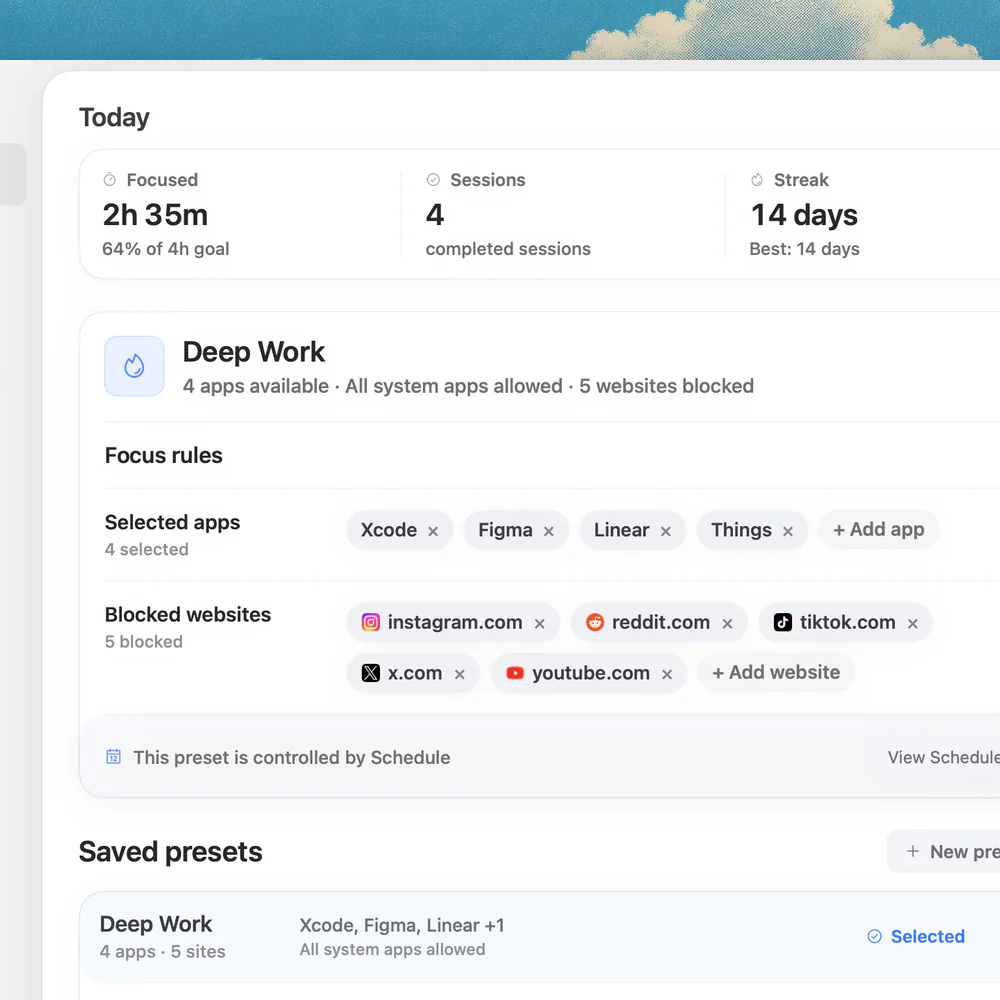
Time tracking vs focus tracking comes down to the output: time tracking (Toggl Track, Clockify, Harvest, Timing) records where the hours went for invoices and reports, while focus tracking protects a planned work block from context switching. Use a time tracker when someone needs a ledger. Use a focus tool such as Nudge, which blocks the apps and websites you pick during a session, when the expensive problem is drifting inside the block. Many people run one of each.
How do these apps compare?
Separate reporting tools from tools that actively protect attention.
Which tool should you pick?
Need invoices
Time tracking
Use a tool with projects, clients, exports, approvals, and reports.
Need deep work
Focus tracking
Use sessions, presets, and app and website blocking.
Need both
Pair them
Track the project in one tool and protect the session in Nudge.
The apps in detail
 $9.99 once
1. Focus tracking
Nudge
Best for: Session protection
- Choose it if
- You need the work environment to stay aligned during a block.
- Skip it if
- You expect billing exports.
 Free, Starter $9/user/mo annual
2. Time tracking
Toggl Track
Best for: Project reports
- Choose it if
- You need clear manual timers and reports.
- Skip it if
- You mainly need blocking.
 30-day trial, from $9/mo billed annually
3. Time analytics
Timing
Best for: Mac activity review
- Choose it if
- You forget timers and want passive Mac context.
- Skip it if
- You need app/site guardrails.
 From $7/mo billed annually
4. Analytics and blocking
RescueTime
Best for: Automatic reports and focus sessions
- Choose it if
- You want visibility and some intervention.
- Skip it if
- You need granular client billing.
The output tells you which tool you need
If the output is an invoice, a capacity report, or a weekly utilization chart, you need time tracking. If the output is a protected hour of writing, coding, studying, or planning, you need focus tracking.
Confusing those jobs is why many productivity setups feel heavy. A report does not stop a distraction. A blocker does not replace a timesheet.
A clean combined workflow
Start the time tracker when the reportable task begins. Start Nudge when the attention window needs protection. The time tracker explains what happened. Nudge changes what is easier to do during the session.
For client work, that can look like: Toggl project timer on, Nudge design preset on, social feeds, video and chat blocked.
Looking for the tracker side? See the best time tracking apps for Mac, including free options. For the focus side, read how to block apps on Mac and try the free online Pomodoro timer to work in timed blocks.
Do not over-measure the day
The point is not to label every minute. The point is to collect enough signal to make a better week and apply enough friction to protect the work that matters.
The diagnostic question
Ask what you will do with the data. If the answer is invoice, payroll, utilization, or client reporting, the problem is time tracking. If the answer is stop opening the wrong thing during a planned work block, the problem is focus tracking or focus protection.
Most frustrated users are mixing these jobs. They install a tracker expecting it to stop distractions, or they install a blocker expecting it to produce clean reports. Both disappoint when judged by the wrong output.
Metrics that actually matter
For time tracking, useful metrics include billable hours, project totals, utilization, time by client, estimates versus actuals, and missing entries. For focus tracking, useful metrics include completed sessions, blocked attempts, context switches, longest uninterrupted block, and session success rate.
Do not optimize every number. Pick one reporting metric and one execution metric. For example: billable hours captured, and writing sessions completed without opening feed sites.
Stack recipes
A freelancer stack can be Toggl Track for project reporting plus Nudge for client-writing sessions. A developer stack can be Timing for passive review plus Nudge for coding presets. A student stack can be Screen Time for rough usage plus SelfControl or Nudge for study blocks.
The common rule: track at the level where a report is needed, and protect at the level where behavior fails.
Examples by role
A freelancer selling hours needs time tracking first because the business risk is underbilling. A founder working on product needs focus tracking first because the expensive risk is losing the best hours to fragmented execution. A manager may need team time reports, but the individual contributor may need protected blocks more than another dashboard.
This is why the same person can need different tools in different seasons. During client delivery, reporting matters. During product building, execution matters. During burnout recovery, visibility and limits matter. The category should follow the current job, not the label on the app.
- Freelancer: track client/project time, then protect delivery blocks.
- Developer: review automatic activity, then protect coding sessions.
- Writer: protect drafting first, then track output or time later.
- Manager: use team reports, but avoid turning individual focus into surveillance.
Privacy tradeoffs
Time tracking can be sensitive because it may capture documents, websites, screenshots, project names, or client work. Focus tracking can also be sensitive if it records too much behavior. Before adopting either category, decide what data you are comfortable storing and whether the data needs to leave the Mac.
For many solo users, the best path is low data first: manual timers for reports, local activity review for insight, and session protection for behavior. Add cloud analytics only when the benefit is clear.
The buying rule
Buy the tool that changes the next decision. If the next decision is what should I bill, buy time tracking. If the next decision is what should I block so this hour survives, buy focus protection. If the next decision is why did my week disappear, buy analytics or use Screen Time first.
This rule keeps the stack grounded. It also prevents the common mistake of buying a reporting tool when the real issue is execution, or buying a blocker when the real issue is missing business records.
FAQ
What is focus tracking?
Focus tracking means measuring or protecting uninterrupted work blocks: completed sessions, longest block, context switches. Tools such as Rize and RescueTime measure it from your activity. Nudge protects the block itself by blocking the apps and websites you pick during a session.
Can one app do both time tracking and focus tracking?
Some apps combine reports with focus sessions, but combined does not always mean best. If you need accurate billing, choose a strong tracker. If you need better execution, add a dedicated focus layer.
Should I track every minute?
Usually no. Track enough to make decisions. Over-tracking can become another distraction, especially for creative work where the goal is output quality rather than perfect accounting.
What should I use if I only care about focus?
Use a focus-session tool, website blocker, app blocker, or Pomodoro app. Nudge is useful when the work needs apps and websites blocked in the same Mac session.
What should I use if my boss needs reports?
Use a real time tracking product with exports, projects, and admin controls. Nudge can support the work session, but it should not be treated as the reporting system.
Nudge for Mac
Turn the guide into a focus session
Pick the apps and websites that pull you away and start the session from the menu bar. They stay blocked until it ends. $9.99 once after 7 days free, no card to start.
Download for macOS