The Flowtime technique: how it works and how to run it on a Mac
The Flowtime technique: work until your focus fades, then take a break that fits the work. Origin, Flowtime vs Pomodoro, and how to run it on a Mac.
Quick answer
The Flowtime technique is a way of working with no fixed block: you pick one task, work until your focus fades, note how long that took, then take a break that fits the length of the work. It was written up by Zoë Read-Bivens as an alternative to the Pomodoro technique. On a Mac, the closest free setup is the Pomodoro timer at nudgefocus.app/pomodoro-timer with a long Custom focus length, or a Nudge Quick Focus session set to No limit, which you end yourself. Nudge blocks the apps and websites you pick until you do.
How do these apps compare?
Understand the Flowtime technique, see how it compares with Pomodoro and 52/17, and run it on a Mac with a timer and a distraction blocker.
| App | Best for | Price | Website |
|---|---|---|---|
 NudgeTop pick NudgeTop pick | Blocking distractions for as long as the flow lasts | $9.99 once | Get Nudge |
 Be Focused Pro Be Focused Pro | A native Mac timer with set lengths | $19.99 once | Visit |
 Session Session | A Mac and iPhone focus timer | Free, Pro $39.99/yr | Visit |
 Flow Flow | An interval timer on Mac, iPhone and iPad | Free, Pro from $1.49/mo | Visit |
 Pomofocus Pomofocus | A free browser timer with custom lengths | See pricing | Visit |
Which tool should you pick?
Run Flowtime on a Mac
Nudge, No limit session
A Quick Focus session with no time limit. Blocking stays on until you choose End Session.
Free timer, closest fit
Free Pomodoro timer
Custom preset with a long focus length and the Skip button to move on to the break when focus fades.
Fixed blocks instead
Pomodoro or 52/17
If you would rather not decide when to stop, a fixed rhythm removes that choice.
Native Mac timer, one-time price
Be Focused Pro
Sets work and break lengths. $19.99 on the Mac App Store.
Mac and iPhone timer
Flow
Interval timer with a free tier. Custom durations and app and web blocking are in Pro.
The apps in detail
- $9.99 once
1. App and website blocking
Nudge
Best for: Blocking distractions for as long as the flow lasts
- Choose it if
- You want a session with no end time that blocks the apps and websites you pick until you end it, for $9.99 once.
- Skip it if
- You need to block apps on your phone too: Nudge is a Mac app, so look at Freedom, Opal or Session.
- $19.99 once
2. Timer
Be Focused Pro
Best for: A native Mac timer with set lengths
- Choose it if
- You want a one-time purchase at $19.99 and are happy with timed work and break lengths.
- Skip it if
- You want a free tool.
- Free, Pro $39.99/yr
3. Timer
Session
Best for: A Mac and iPhone focus timer
- Choose it if
- You want a timer on Mac and iPhone. Custom session and break lengths are in Pro, at $4.99 a month or $39.99 a year.
- Skip it if
- You want custom lengths for free. They are a Pro feature.
- Free, Pro from $1.49/mo
4. Timer and blocking
Flow
Best for: An interval timer on Mac, iPhone and iPad
- Choose it if
- You want a free basic tier. Fully customizable durations and app and web blocking are in Pro, from $1.49 a month billed yearly.
- Skip it if
- You want a count-up clock. Flow is an interval timer with set lengths.
5. Timer
Pomofocus
Best for: A free browser timer with custom lengths
- Choose it if
- You want to set your own focus and break times in the browser.
- Skip it if
- You want the timer to block sites or apps. It does not.
What is the Flowtime technique?
Flowtime is a work method with no fixed block length. You choose one task, start a clock, and keep working until your focus fades. Then you stop, note how long you worked, and take a break that matches the length of that work. After the break you start again.
The idea is that the work decides when the break comes, not a timer. If you are deep in a task after 25 minutes, you keep going. If you are stuck after 12, you stop. People often search for it as a "flowtime timer" because the method needs a clock that counts up, not one that counts down.
Who created the Flowtime technique?
The method is credited to Zoë Read-Bivens, who wrote it up in a post titled [The Flowtime Technique](https://medium.com/@UrgentPigeon/the-flowtime-technique-7685101bd191) as a response to the Pomodoro technique. Zapier's guide to the method credits her and links to that post, and it is also where the suggested break lengths in the table below come from.
Pomodoro itself is older. It was created by Francesco Cirillo in the late 1980s. Flowtime is sometimes nicknamed "Flowmodoro", which is a label some blogs use, not a separate method.
How do you do the Flowtime technique, step by step?
The steps are short. The skill is in noticing when your focus has actually gone, not when you are only bored.
Pick one task and remove what you know will interrupt it, such as notifications and the sites you open without thinking.
Note the start time, or start a stopwatch.
Work until you feel tired or distracted, or the task is done.
Note the end time and work out how long you worked.
Take a break that fits the table below. Then start the next block.
How long should Flowtime breaks be?
Read-Bivens suggests breaks that grow with the length of the work, as Zapier's summary of the method sets out. They are suggestions, and you can take a longer break if you need one.
| Time you worked | Suggested break |
|---|---|
| 25 minutes or less | 5 minutes |
| 25 to 50 minutes | 8 minutes |
| 50 to 90 minutes | 10 minutes |
| More than 90 minutes | 15 minutes |
Flowtime vs Pomodoro: what is the difference?
Both split a day into focus blocks and breaks. Pomodoro fixes the block (25 minutes) and the break (5). Flowtime lets the block run as long as your attention does and sets the break from that length. The 52/17 rule sits between them: a longer fixed block, 52 minutes, then 17 minutes off.
- Pomodoro suits starting a task you are avoiding. The timer is short enough that starting feels cheap. If starting is the hard part, see how to stop procrastinating on a Mac.
- Flowtime suits work that is easy to start and easy to lose: writing, coding, design. A bell at minute 25 can cut a good stretch in half.
- Flowtime asks you to judge your own focus. If you tend to push on until you are exhausted, a fixed rhythm is the safer default.
| Method | Focus block | Break | Who decides when to stop |
|---|---|---|---|
| Pomodoro | 25 min | 5 min (longer break after 4) | The timer |
| 52/17 | 52 min | 17 min | The timer |
| Flowtime | Until focus fades | 5 to 15 min, by how long you worked | You |
Does the Flowtime technique work?
There is little direct evidence. A 2025 randomized online study in the journal Behavioral Sciences by Smits, Wenzel and de Bruin at Maastricht University compared self-regulated breaks, Pomodoro breaks and Flowtime breaks. Ninety-four university students took part in a two-hour study session. The authors report that Pomodoro breaks led to a faster increase in fatigue, and that Pomodoro and Flowtime breaks led to a faster decrease in motivation than self-regulated breaks. They found no differences in productivity, task completion or flow between the three.
That is one small study of students, so it does not settle anything. A fair reading is that Flowtime is not proven to beat Pomodoro or no method at all. Pick the rhythm you will actually keep using.
How do you run Flowtime on a Mac?
You need two things: a clock and a way to keep distractions out while the clock runs. Most timers count down from a set length, so a true Flowtime clock is rarer than a Pomodoro one. Two setups work on a Mac.
Option 1 is a Nudge session with no time limit. In the menu bar, Quick Focus offers durations from 15 minutes to 2 hours and also No limit. A No limit session has no end time. The blocked apps and websites stay blocked until you choose End Session from the menu bar. Note the time you start, end the session when your focus fades, and take the break from the table above. Nudge costs $9.99 once for Lifetime Access, with a 7-day free trial that needs no email, password or card.
Option 2 is the free timer, as an approximation. It counts down and its break length is fixed by the setting, so it cannot scale the break to the work. It can still give you a long runway and a way out.
Open nudgefocus.app/pomodoro-timer in your browser. No sign-up is needed.
Click the Settings button (the sliders icon) and, under Preset, choose Custom. The presets are Pomodoro 25/5, Deep work 50/10 and Long focus 90/20, plus Custom.
Set Focus to a ceiling you rarely reach, such as 90 or 120 minutes. Custom accepts 1 to 180 minutes.
Set Short break to 10 minutes, a middle value from the table.
Press Start. When your focus fades, press Skip (S) to move to the break, and check the table. If you worked under 25 minutes, take 5 minutes, and if you worked over 90, take 15.
How do you protect a Flowtime block from distractions?
Flowtime has no alarm to pull you back, so a stray tab is more costly. A block that ends when you choose gives the distractions longer to win.
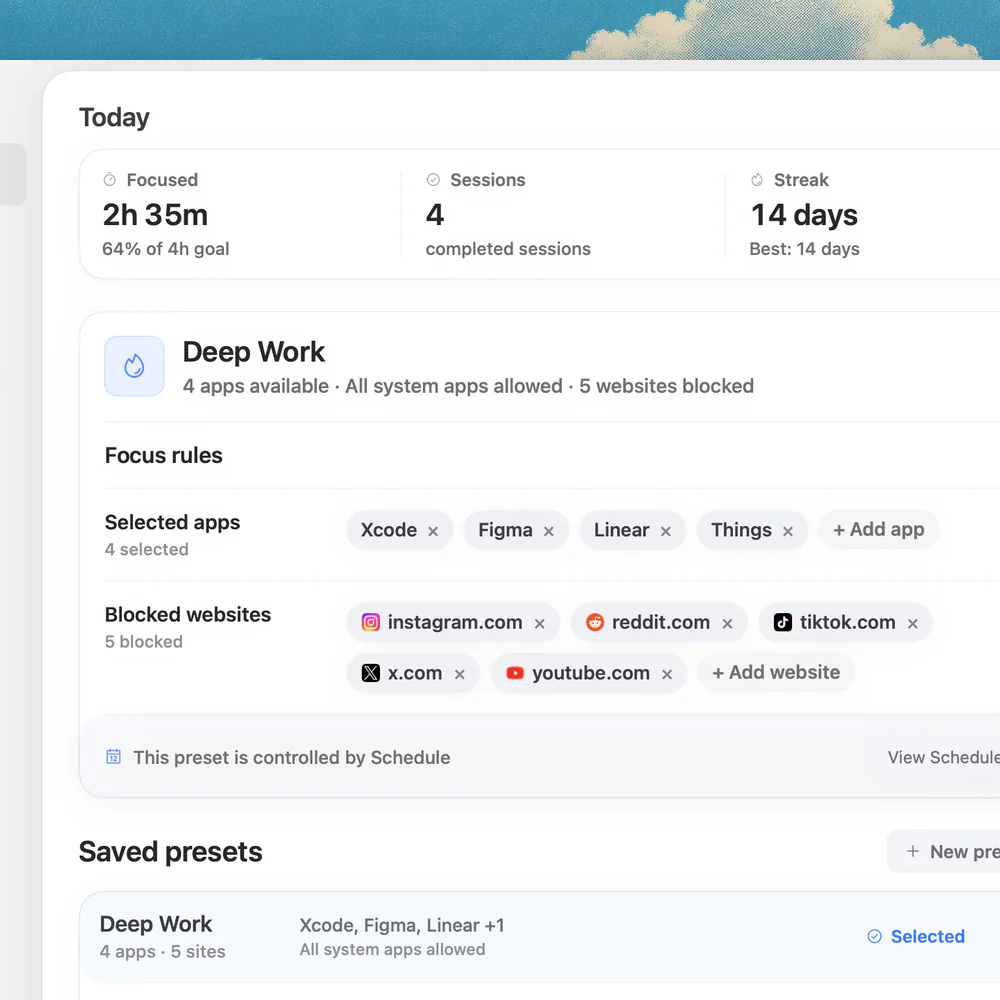
Create a preset in Nudge, such as Deep Work, with the apps and websites that pull you away. Websites are blocked in Safari and Chrome. Start it from the menu bar with No limit, work until the flow breaks, then end the session and take your break. If notifications are the problem, the guide to Focus mode on a Mac covers silencing them. For the apps themselves, see how to block apps on a Mac. For a longer comparison of fixed-block tools, see the best Pomodoro apps for Mac.
What other timer apps support Flowtime on a Mac?
Prices below were checked on each vendor's site on 10 October 2026. These apps count down from a length you set, so set a long block and stop early when your focus fades.
- Flow: Mac, iPhone, iPad and Watch. The free tier has an interval-based timer with many duration options. Pro, from $1.49 a month billed yearly, adds fully customizable durations and app and web blocking.
- Session: Mac and iPhone, free tier. Custom session and break lengths are in Pro, $4.99 a month or $39.99 a year.
- Be Focused Pro: Mac App Store, $19.99, Mac only, with settable work and break lengths.
- Pomofocus: browser timer with custom focus and break times.
FAQ
What is the Flowtime technique?
It is a work method with no fixed block. You work on one task until your focus fades, note how long you worked, then take a break whose length depends on that time. It was written up by Zoë Read-Bivens as an alternative to Pomodoro.
Flowtime vs Pomodoro: which is better?
Neither is proven better. Pomodoro uses fixed 25-minute blocks and 5-minute breaks and suits starting tasks. Flowtime lets you work as long as your focus lasts and suits work that is easy to start but easy to interrupt. A 2025 study of 94 students found no differences in productivity, task completion or flow between Pomodoro, Flowtime and self-regulated breaks.
How long should a Flowtime break be?
The suggestion is 5 minutes after 25 minutes of work or less, 8 minutes after 25 to 50, 10 minutes after 50 to 90, and 15 minutes after more than 90. These are guidelines and you can take longer.
Is there a Flowtime timer for Mac?
A count-up stopwatch is the natural fit. On a Mac you can start a Nudge Quick Focus session with No limit and end it yourself, or use the free timer at nudgefocus.app/pomodoro-timer with a long Custom focus length and the Skip button. Other Mac timers count down from a set length, so set a long block and stop early.
Who invented the Flowtime technique?
It is credited to Zoë Read-Bivens, who published it as a response to the Pomodoro technique. Pomodoro was created by Francesco Cirillo in the late 1980s.
How do I stop distractions during Flowtime?
Use a blocker that stays on until you turn it off. Nudge blocks the apps and websites you choose while a session runs, and a No limit session lasts until you end it. Websites are blocked in Safari and Chrome.
Nudge for Mac
Turn the guide into a focus session
Pick the apps and websites that pull you away and start the session from the menu bar. They stay blocked until it ends. $9.99 once after 7 days free, no card to start.
Download for macOS