
FocusMe vs Freedom: which blocker fits your devices? (2026)
Compare FocusMe and Freedom on pricing, platforms, blocking, schedules, and device limits before choosing a plan.

Quick answer
FocusMe and Freedom both block distractions across desktop and mobile devices. FocusMe emphasizes configurable plans and limits, while Freedom offers synchronized sessions and a free tier. FocusMe also lists a native Linux app; Freedom lists Chromebook support. For Mac-only sessions, Nudge has a seven-day no-card trial and costs $9.99 once.
How do these apps compare?
Compare the two vendors on platform coverage, prices and actual feature differences.
Which tool should you pick?
Detailed plans
FocusMe
Time limits, Focus Plans and protection options.

Shared sessions
Freedom
Synchronize a session across selected devices.

Mac-only sessions
Nudge
A one-time purchase after a seven-day trial.
The apps in detail
- $9.99 once
1. Session blocker
Nudge
Best for: Mac focus sessions
- Choose it if
- You want selected sites and apps in a reusable Mac preset.
- Skip it if
- You need phone blocking or a hard-to-stop lock.
- $9.95/mo billed annually or $449 lifetime
2. Rules and limits
FocusMe
Best for: Detailed plans across devices
- Choose it if
- You want time limits, schedules and configurable protection.
- Skip it if
- You want a low-cost Mac-only purchase.
- Free; Premium from $3.33/mo billed annually
3. Cross-device blocker
Freedom
Best for: Connected device sessions
- Choose it if
- You want one session across a Mac and phone.
- Skip it if
- You need a native Linux desktop app or the same controls on every platform.
FocusMe vs Freedom at a glance
Both products can block websites and apps and schedule sessions on a paid plan. Their device synchronization differs, so check each platform before choosing. The right choice depends on the specific rule you want to carry over, the devices you use, and how much control you need over stopping a session. Prices and feature descriptions below were checked on 1 November 2026.
For a Mac-only comparison of session workflows, see the focus app hub. If neither product fits, the FocusMe alternatives guide separates a free website timer, a Mac session blocker and stricter desktop rules.
| Question | FocusMe | Freedom |
|---|---|---|
| Platforms | Windows, Mac, Linux, Android, iPhone and iPad | Mac, Windows, iOS, Android and Chromebook; Chromebook/Linux support is browser-based |
| Devices | Up to 5 computers and 2 phones or tablets on one license | Unlimited devices listed; choose devices for each session |
| Free option | 14-day desktop trial, no card; mobile basics free | Free tier: Start Now sessions up to 2 hours |
| Scheduling | Flexible Focus Plans | Later and recurring sessions require Premium |
| Stopping protection | Enforced Mode and configurable commitment settings | Locked Mode requires Premium |
| US pricing | Monthly $17.95; yearly $119.40; lifetime $449 | Monthly $8.99; yearly advertised as $3.33/month; lifetime promotion shown as $99.50 |
How do the device limits and platforms differ?
FocusMe lists desktop applications for Windows, macOS and Linux and mobile apps for Android, iPhone and iPad. Its pricing page says one license covers up to five computers plus two phones or tablets. Its pricing page says plans sync between devices, but its FAQ specifically says Premium syncs Windows, Mac and iPhone plans and that Android sync is in development. Confirm the current Android behavior with the vendor. Check the particular mobile plan and purchase screen if buying through an app store; offerings can differ from the desktop plan.
Freedom lists Mac, Windows, iOS, Android and Chromebook, with unlimited devices on its pricing page. Its help page also mentions Chromebook/Linux. Do not read that as evidence of a native Linux desktop app equivalent to FocusMe: check the browser-based setup and supported features on the machine you use. Freedom lets you select the devices included in a session.
Do both block websites and apps on every platform?
Both vendors advertise website and app blocking, but feature names do not guarantee identical implementation. Freedom’s published platform table lists app blocking on Mac, Windows, iOS and Android, while its Chromebook entry does not include app blocking. Website exceptions are listed for Mac and Windows only. Its whole-internet block and website blocking are listed across those platforms.
FocusMe advertises website and app blocking across its products. Its FAQ says the Android and iOS apps provide blocking, schedules and time limits free, with Premium adding supported sync. The FAQ says iOS uses Apple Screen Time, and Android sync is still in development; the pricing page makes a broader sync claim. Review its platform instructions for the exact device, browser and permissions before relying on a rule; desktop and mobile operating systems expose different controls. For a real comparison, test the same troublesome site and app on each device and note the exceptions you actually need.
How do plans, limits, and strictness compare?
FocusMe offers Focus Plans, scheduled blocks and limits. It also lists Enforced Mode, and its recent release notes describe configurable commitment settings and ways to approve a stop. Read the stop rules for the plan you choose before activating them: a stronger commitment can make an unexpected change inconvenient.
Freedom organizes blocking around sessions and blocklists. The free tier supports Start Now sessions of up to two hours. Premium adds longer sessions, starting later, recurring sessions and Locked Mode. A scheduled session can protect a predictable work window; an unlocked Start Now session may be enough for an irregular task. Neither product should be treated as an absolute guarantee against every workaround.
What do FocusMe and Freedom cost?
FocusMe lists $17.95 monthly, $119.40 yearly, or $449 once for lifetime. Its annual rate is $9.95 per month when billed yearly. A 14-day trial is advertised without a card. Freedom lists $8.99 monthly and an annual plan advertised at $3.33 per month; confirm the amount billed and any taxes at checkout. Its page also showed a $99.50 lifetime promotion on the check date, so do not assume the offer persists.
For a twelve-month comparison using these advertised rates, FocusMe annual is $119.40 while Freedom’s displayed annual equivalent is approximately $39.96 before applicable tax. Monthly payments for twelve months would be $215.40 and $107.88 respectively. This arithmetic does not predict renewal rates, future discounts, currency conversion or whether either plan is worth buying for your needs.
Example: a Mac, Linux laptop, and phone
Imagine writing on a Mac, coding on a Linux laptop, and checking messages on an iPhone. FocusMe’s native Linux app and five-computer/two-mobile allowance make it a candidate if all three devices need a coordinated plan. Freedom may suit someone who wants synchronized sessions and uses its supported browser setup on Linux; confirm the exact Linux behavior and iPhone restrictions first.
Make one 30-minute trial session on each device. Verify a distracting site, a distracting app where supported, and an essential work page. Then test the end of the session and record what happens if a meeting requires a change. The product that passes your own requirements is more useful than a longer feature list.
How should you run a fair trial?
Choose one concrete task and write down the desired outcome before opening either app: for example, block a social feed on your Mac and phone for 45 minutes while keeping the project workspace accessible. Add the same sites where each platform permits, select the same devices, and test one necessary page as well as one distraction.
On a second session, try the advanced control that matters to you. For FocusMe, that might be a time limit or a specific protection setting. For Freedom, it might be a recurring Premium session or Locked Mode. Record the steps needed to start, adjust and end each one, along with any permissions required on the phone.
Compare the result against your intended use instead of treating the number of switches as a score. A tool can have more rules yet be unnecessary for a single daily session; a simple shared session can be insufficient if you need a daily allowance or a native Linux desktop app. Check current trial and cancellation terms before selecting a paid plan.
When is a Mac-only alternative enough?
If your work and distractions are on one Mac, a cross-device subscription may add complexity you do not need. Nudge lets you save selected apps and websites as presets and start sessions from the menu bar. Sites are blocked in Safari and Chrome; scheduled presets are available when a repeating window becomes useful. It requires macOS 13 or later and Apple silicon.
Nudge costs $9.99 once after a seven-day free trial with no card. It does not block a phone and is not a substitute for either vendor’s stricter commitment features. Choose FocusMe or Freedom if those requirements matter more than a simpler Mac session.
If locked desktop blocks matter more than phone coverage, compare Cold Turkey and FocusMe or Cold Turkey and Freedom. A test session should check the exact browsers and devices you will use.
FAQ
Is FocusMe or Freedom better for Linux?
FocusMe lists a native Linux desktop app. Freedom lists Chromebook/Linux support in its help center; verify its browser-based setup and feature limits for your distribution.
Does Freedom have a free plan?
Yes. Freedom’s free tier includes Start Now sessions up to two hours and device synchronization; later sessions, recurring schedules and Locked Mode require Premium.
Does FocusMe work on iPhone?
FocusMe lists iPhone and iPad alongside Android and desktop platforms. Check the purchase screen and the platform-specific rules you need.
Which has a lower listed annual price?
On 1 November 2026, FocusMe listed $119.40 per year and Freedom advertised $3.33 per month on its yearly plan. Taxes and checkout terms may differ.
Can Nudge replace both on every device?
No. Nudge is a Mac app for selected website and app sessions. It does not block a phone or provide an equivalent cross-device plan.
Nudge for Mac
Turn the guide into a focus session
Pick the apps and websites that pull you away and start the session from the menu bar. They stay blocked until it ends. $9.99 once after 7 days free, no card to start.
Download for macOS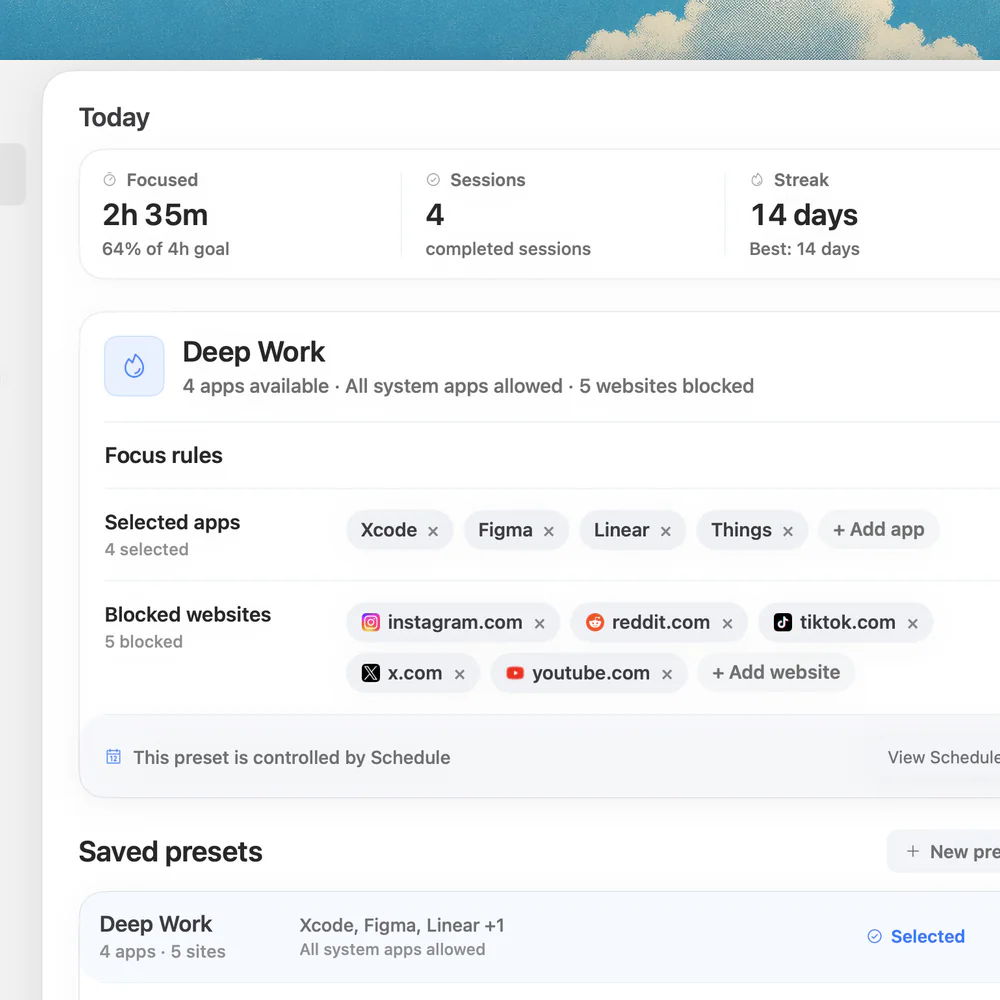
Sources
Keep reading
 Focus appsBest focus app for Mac in 2026
 Website blockingFocusMe alternatives for Mac: which should you choose? (2026)
 Website blockingCold Turkey vs Freedom: Mac blockers compared
 Website blockingFreedom alternatives for Mac in 2026: apps like Freedom, with no subscription
 Website blockingBest website blockers for Mac in 2026