How to take breaks between focus sessions
Choose a practical off-screen break, leave a restart note, and return to your next focus session without losing context.
Quick answer
To take a break between focus sessions, leave a short note about your next action, step away from the screen, and choose a simple activity that lets you change position or pace. Return by reading the note and deciding what to do next. Nudge offers a 7-day no-card trial for protecting Mac sessions.
How do these apps compare?
Take a useful break and return to a clear next action.
| App | Best for | Price | Website |
|---|---|---|---|
 NudgeTop pick | Blocking selected apps and sites during a work session | $9.99 once | Get Nudge |
| macOS Focus | Filtering notifications from people and apps | ||
 Pomofocus | Running a browser work and break timer | See pricing | Visit |
Which tool should you pick?
Protect a session
Nudge
Block selected apps and sites with a reusable Mac preset.
Filter alerts
macOS Focus
Allow important notifications while silencing others.
Time a session
Free focus timer
Choose a work interval and break in your browser.
The apps in detail
- $9.99 once
1. Session protection
Nudge
Best for: Blocking selected apps and sites during a work session
- Choose it if
- You want a reusable preset started from the menu bar.
- Skip it if
- You need to block a phone too.
2. Notifications
macOS Focus
Best for: Filtering notifications from people and apps
- Choose it if
- Alerts interrupt the work.
- Skip it if
- You need to restrict access to an app or site.
3. Timer
Pomofocus
Best for: Running a browser work and break timer
- Choose it if
- You want a browser timer.
- Skip it if
- You need app and website blocking.
What makes a useful focus break?
A useful break gives you a change from the demands of the preceding work and a clear way back. If you have been reading and typing at a screen, stand up, move to another room, get water, or look away from the display. A break need not be elaborate or productive. It can simply be a pause before deciding what comes next.
The UK Health and Safety Executive recommends breaks or changes of activity for display screen work and says timing depends on the nature of the work. Its guidance suggests opportunities to move, stretch or change posture. These are practical options, not a requirement to perform a particular exercise or follow a universal schedule.
How do you stop without losing your place?
Before stepping away, write one or two lines: what you just did, what remains, and the first action on return. Save the document or code. If a test or calculation is unfinished, note its status instead of relying on memory. For example: “Drafted the first two paragraphs. Next: verify the pricing example against the source and revise paragraph three.”
Close or move anything that will obscure the next action when you return. You do not need a perfect stopping point for every break. If you need to stop immediately, leave the best note you can; you can reconstruct details later. For work involving other people, note any response or handoff that actually needs attention.
Save your work and write the next action.
Step away from the screen or change activity.
Choose a simple break that fits the time available.
Return and read your note before opening unrelated work.
Choose the next outcome and start another session if appropriate.
What can you do during a short break?
Choose a small change you can actually finish. Stand up and refill water, walk to another room, look outside, or sit somewhere different. If your previous work required intensive typing, an activity that uses the same hands in the same way may feel less like a change. There is no need to optimize every minute of a break.
A phone can be useful for an important message, but an open-ended feed may make it harder to notice that your planned break has ended. If you decide to check it, set a clear purpose, such as replying to one person. If you need a real interruption-free pause, leave it aside and check messages in a separate window.
| If the session involved | Try a change | Make returning easier |
|---|---|---|
| Long screen reading | Look away or walk to another room | Leave a note with the next paragraph |
| Intensive typing | Stand up or get water | Save the document and note the next edit |
| A difficult problem | Pause without adding another task | Write the question you will test next |
| A meeting-heavy morning | Take a quiet pause | Choose one follow-up before returning |
How long should a break be?
Start with a break that fits the work and the time you have. A short interval might be enough to stand up and reset; a longer break may be useful after a demanding stretch or before a different activity. Do not postpone a necessary break just because a timer has not finished. The HSE notes that screen-work break timing varies with the task.
The free Pomodoro timer offers work and break presets as well as custom lengths. The focus timer is another option. Use an alert as a reminder to check in, not an obligation to return before you are ready. If you repeatedly miss the return time, try a more noticeable alert or choose an activity with a natural endpoint.
How do you return to work?
Read the note before reopening a feed or starting a new task. Check whether the original next action still makes sense. If a priority changed during the break, consciously choose the new task and leave the old one in a place you can find. If nothing changed, open the relevant file and do the first small action you wrote down.
For example, a developer returning to a failing test might read: “The fixture reproduces the issue; inspect the input passed to the parser.” Open that file, inspect the input, and write down the result. A writer might reopen the draft and verify one source before editing. The aim is to reduce the effort of deciding where to restart.
What if a break turns into an hour of scrolling?
Notice the pattern without treating it as a personal failure. Try moving the phone out of reach, leaving the desk, or choosing a break activity with a clear end, such as making tea. If a message genuinely needs an answer, allow time for it rather than pretending it is a break from work.
If the next session is difficult to start, shrink the first action: open the file, read the last paragraph, or run one relevant test. If interruptions are legitimate and frequent, plan a message-check window or allow important notifications. A break and a check-in are different activities; either can be useful when chosen deliberately.
How can your Mac help you restart?
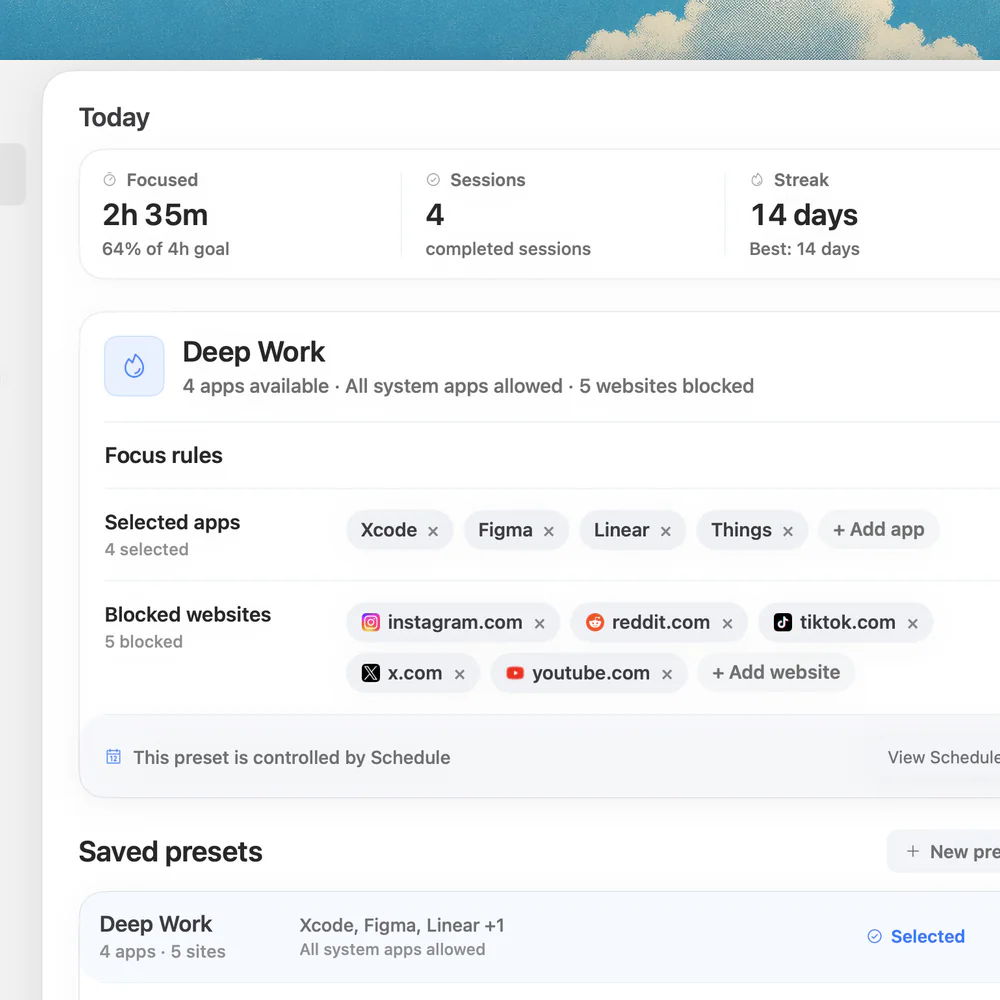
Use macOS Focus to filter nonessential notifications while allowing important people and apps. It affects notifications rather than access. For the next work session, Nudge can block selected Mac apps and websites in Safari and Chrome. Keep documents, course materials, work tools and any urgent communication available.
Save a preset and start it from the menu bar when you are ready to work. Nudge requires macOS 13 or later on an Apple silicon Mac and does not block a phone. Its 7-day trial per Mac requires no card; Lifetime Access is $9.99 once. The block lasts for the session you start, so a break can be planned around that boundary.
How can you adjust the routine over time?
After a few sessions, notice what makes returning easier. Perhaps a written next action works better than keeping many tabs open, or a walk is easier to end than a feed. Change one part of the routine and see whether it fits your actual day. If meetings or caregiving interrupt the plan, design around those obligations instead of insisting on a rigid pattern.
Use the Mac focus guide for a broader work routine and the deep work setup for preparing your workspace. A good break supports the work and the person doing it; it does not have to look identical every time.
FAQ
What should I do during a focus break?
Try a simple change from the previous activity: stand up, get water, move around or look away from the screen. Choose something that fits your circumstances.
How long should a focus break be?
There is no single length that fits every task. Start with a practical interval and adjust it to the work, your needs and your schedule.
Should I check my phone during a break?
You can, especially for an important message. If scrolling regularly extends the break beyond your intention, try a specific purpose or leave the phone aside.
How do I remember where I stopped?
Save your work and write a short note with what you just did, any unfinished result and the first action to take when you return.
What if I need a break before the timer ends?
Take it. A timer is a reminder and planning aid, not a rule that overrides an urgent need or your circumstances.
Nudge for Mac
Turn the guide into a focus session
Pick the apps and websites that pull you away and start the session from the menu bar. They stay blocked until it ends. $9.99 once after 7 days free, no card to start.
Download for macOS