How to use Pomodoro for coding
Plan coding intervals around small outcomes, safe stopping points, tests, and a useful restart note.
Quick answer
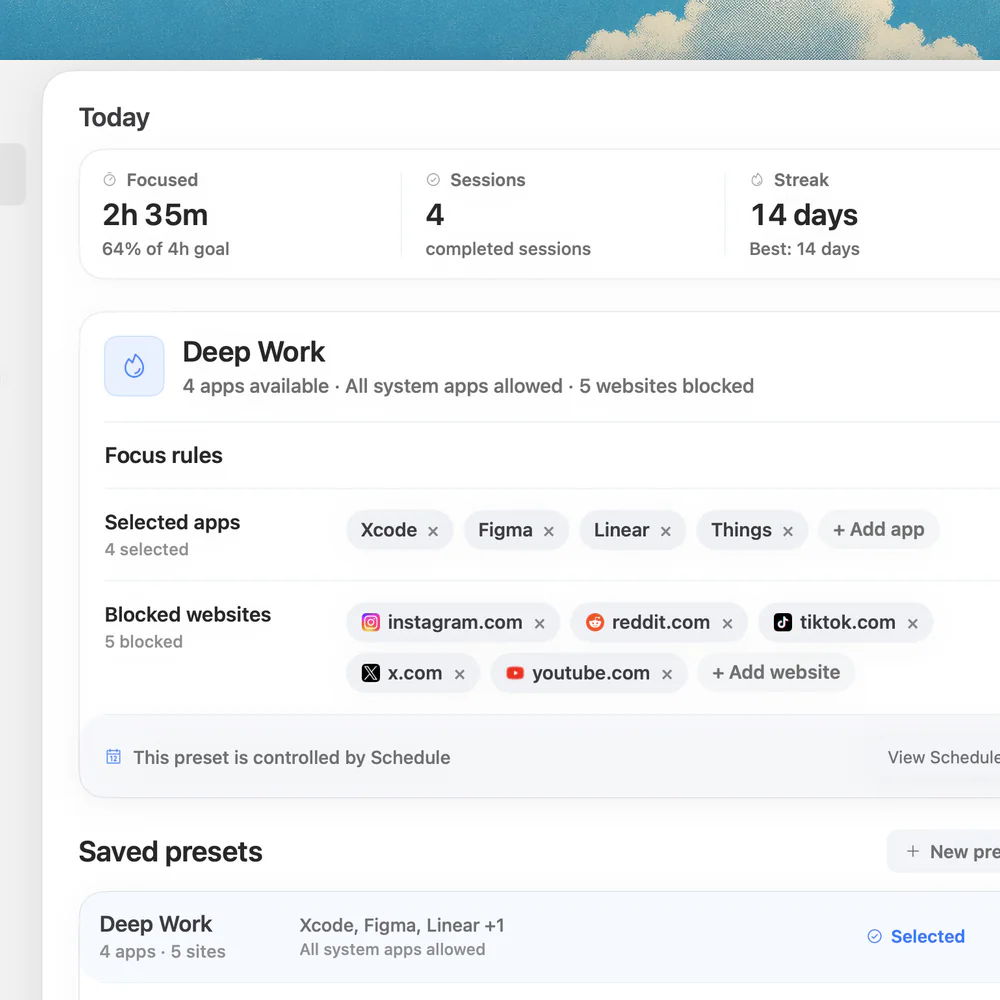
For coding, use a Pomodoro as a checkpoint, not a command to abandon a change mid-thought. Choose a small outcome, work for an interval, then save your state and leave a restart note before a break. Nudge can block selected distractions on Mac; its 7-day trial requires no card.
How do these apps compare?
Use timed coding sessions without losing the context needed to resume.
| App | Best for | Price | Website |
|---|---|---|---|
 NudgeTop pick | Blocking selected apps and sites during a work session | $9.99 once | Get Nudge |
| macOS Focus | Filtering notifications from people and apps | ||
 Pomofocus | Running a browser work and break timer | See pricing | Visit |
Which tool should you pick?
Protect a session
Nudge
Block selected apps and sites with a reusable Mac preset.
Filter alerts
macOS Focus
Allow important notifications while silencing others.
Time a session
Free focus timer
Choose a work interval and break in your browser.
The apps in detail
- $9.99 once
1. Session protection
Nudge
Best for: Blocking selected apps and sites during a work session
- Choose it if
- You want a reusable preset started from the menu bar.
- Skip it if
- You need to block a phone too.
2. Notifications
macOS Focus
Best for: Filtering notifications from people and apps
- Choose it if
- Alerts interrupt the work.
- Skip it if
- You need to restrict access to an app or site.
3. Timer
Pomofocus
Best for: Running a browser work and break timer
- Choose it if
- You want a browser timer.
- Skip it if
- You need app and website blocking.
Does Pomodoro work for programming?
A timed interval can give an ambiguous task a starting point and create a natural moment to inspect progress. It cannot tell you where a bug lives or make an unsafe change safe. Treat 25 minutes as an experiment, not a universal limit: extend to a sensible stopping point when needed, or use a longer interval for work that takes time to understand.
The useful unit is an outcome, such as reproducing a failure or adding one test, not simply “code for 25 minutes.” Before starting, identify what you will examine and what would count as progress. The timer helps you notice when to review; your judgment decides when to stop.
How do you prepare a coding interval?
Pick a narrow objective and open the relevant issue, code, test and documentation. Write the first action: “Run the failing parser test” or “Trace the response from the handler.” If the issue is not understood yet, make investigation the goal rather than promising a fix.
Choose an interval that fits the task and your next commitment. Keep a scratch note for questions, commands and discoveries. Decide when you will check messages, and leave necessary alerts on. The free Pomodoro timer can run a work interval and break; the focus timer offers another starting point.
Choose one small coding outcome and write the first action.
Open the code, issue, tests and documentation you need.
Start an interval and keep a scratch note for discoveries.
At the timer, find a safe pause and save your state.
Record the next action and test status before taking a break.
Return, read the note and choose the next interval.
Where should you stop when the timer rings?
Prefer a recognizable boundary: after reproducing the bug, finishing a small edit, reading a relevant function, or running a focused test. If you are in the middle of a delicate change, take a short moment to reach a safe pause. If an urgent issue or personal need requires stopping immediately, save what you can and leave a note; the timer does not outrank the situation.
Save files and record whether the working tree contains unfinished work. A local commit can capture a meaningful checkpoint if that fits your team’s conventions, but an incomplete or failing change does not need to be committed just to satisfy a timer. GitHub’s documentation describes commits as snapshots of meaningful groups of changes. Do not push, merge or deploy merely because an interval ended.
What should a restart note contain?
A good note answers three questions: where am I, what happened, and what should I do next? Include the branch or issue if useful, the relevant file or function, the last test and its result, and the next command or question. Do not put credentials or sensitive output into a shared note.
For example: “Parser issue: reproduced with the empty-header fixture. Changed validation in parser.js; focused test still fails on line 42. Next: inspect the default value passed by the caller, then rerun the parser test.” That is enough to resume without reconstructing the entire investigation. If no test was run, say so rather than implying it passed.
| Checkpoint | Record | Next interval |
|---|---|---|
| Investigation | Observed behavior and reproduction | Trace the relevant path |
| Implementation | Files changed and unfinished decision | Complete the small edit |
| Test | Command or test name and result | Inspect the failure or run the next relevant check |
| Review | Question or risk still open | Verify it before asking for review |
What does a coding Pomodoro look like?
Suppose an API returns an incorrect validation error. In the first interval, reproduce the issue and write down the input and observed response. Take a break after recording the failing case. In the next interval, trace the validator and add a focused test. A third can be used to implement a fix and run that test.
This is a planning example, not a promise that the work fits three intervals. If the focused test passes, check which additional tests or review your project requires. If it fails, capture the failure and revise the next objective. A green local test is useful evidence about that test; it does not prove every integration or deployment is correct.
If the bug depends on an external service, record the conditions needed to reproduce it and whether that service was available. Keep secrets and private data out of your note. The next interval might be to isolate the behavior with a safe local example, or to ask a teammate a precise question. The point is to make uncertainty visible, not to force an implementation before you understand the failure.
How do you handle interruptions and long investigations?
If a colleague needs an urgent answer, note the current location and switch. For less urgent messages, use a planned check-in window. If a timer repeatedly interrupts useful reasoning, lengthen the interval or finish a small checkpoint before breaking. Conversely, if you keep delaying the start, shorten the initial interval and focus on reproducing one observable behavior.
For an investigation spanning multiple intervals, keep one running note rather than starting a new one each time. Separate facts observed from hypotheses. Write the next experiment and its expected result, then compare it with what actually happens. This keeps a wrong assumption from becoming an invisible premise.
How can a Mac protect a coding session?
Use macOS Focus to filter notifications while allowing important contacts and apps. It manages alerts, not access. Nudge can block the specific Mac apps and Safari or Chrome websites you choose during a session while leaving your editor, terminal and documentation usable.
Create a coding preset and start it from the menu bar. Nudge runs on Apple silicon Macs with macOS 13 or later; it does not block a phone. The 7-day trial per Mac requires no card, then Lifetime Access costs $9.99 once. Revisit your block list if it gets in the way of the task. For more setup ideas, see the deep work Mac guide.
FAQ
Is 25 minutes enough for coding?
It can be enough to reproduce a bug, review a function or run a focused test. Try a longer interval when 25 minutes repeatedly interrupts useful work.
Should I stop immediately when the timer rings?
Use it as a prompt to find a safe stopping point. Save your work and leave a note; attend to an urgent need without waiting for an ideal boundary.
Do I need to commit after every Pomodoro?
No. Commit meaningful checkpoints according to your project’s conventions. Saving files and recording what remains can be enough for a short break.
What if tests fail at the break?
Record the test name or command, the result and your next investigation. A failing test can be useful progress when it gives you a reproducible starting point.
Can Nudge block coding tools?
Nudge blocks the Mac apps and Safari or Chrome websites you choose during a session. Leave your editor, terminal and necessary documentation out of the block list.
Nudge for Mac
Turn the guide into a focus session
Pick the apps and websites that pull you away and start the session from the menu bar. They stay blocked until it ends. $9.99 once after 7 days free, no card to start.
Download for macOS